Be Safe from ‘Unnatural Link Penalty’ by Avoiding These Link Building Techniques


Google has very clear instructions on what it considers unnatural links. They are, links that attempt to 'manipulate' page rank, links that are bought or sold (in cash or kind including offers of free products to get a review and a link), 'excessive' link exchanges or creating partner pages solely to cross link.

Google also warns against 'large scale' guest post or article marketing anchor texts (keyword rich ones) and using automated methods to create links. While it's a pretty exhaustive list, the best approach is to take the White Hat route instead.

"Unnatural" refers to links that are either created by you, or ones that are irrelevant to your niche. A small percentage is perfectly alright, but too much of that would be unnatural.

Here's the lowdown on what to avoid if you wish to never hear the words 'unnatural link penalty' in your lifetime:

1. Buying Links

Never pay for links. Forget about those .edu and .org site/blog lists you used to receive. Think relevance, think audience. The only instance where you could be paying for links ought to be similar to the PPC scenario: where people click your link with genuine interest in your content. Mindlessly buying links by the dozen must be avoided completely.

2. Having Excessive Profile Links

This includes author bios in guest posts, forum signatures, social media, and social bookmarking links created through automated software. While you can have these links, they must be in moderation.

  • Keep anchor text natural (not too keyword-optimized).
  • Avoid having too many self-created links in your profile.
  • Focus on major social platforms where you can actually engage with a real audience.

Real engagement leads to "natural backlinks" from followers who genuinely endorse your site.

3. Going Private (PBNs)

Private blog networks (PBNs) — where multiple blogs are created with different hosting to form a network — used to work, but not any longer. Google identifies these 'apparently unrelated' sites and penalizes them heavily. Avoid any offer that promises rankings through any kind of "network".

4. Footer Links

Common with free WordPress themes or plugins, these links are often found in the page footer. This strategy is now outdated. If you are a web designer and want to leave a credit link on a client's site:

  1. Use no-follow for links that are not in your niche.
  2. Retain only a few links on sites closely related to your niche.
  3. Always use variations in your anchor text.

Are You Making These 5 SEO Mistakes?

Are You Making These 5 SEO Mistakes?

With the influx of websites on the internet, organic visibility has become a major challenge for many site owners. If people cannot find you on search engines, you will miss out on valuable visitors or customers. To enhance your visibility, you need to ensure that your site is optimized properly on a regular basis.

In addition, you need to avoid the following common SEO blunders:

1. Failing to Submit URL to Search Engines

Having your URL listed in search engines is one of the most effective ways of getting your site indexed. The faster your site is indexed, the easier it is for people to find you online. You can easily submit your URL to major search engines to ensure they know your content exists.

2. Using Irrelevant Anchor Text

What is anchor text? It is simply the text which is found within a link. The anchor text is one of the main factors Google considers when ranking your pages.

Make sure the anchor text used is relevant to the page being linked to. For example, if your anchor text is ‘water coolers’, the page linked to should be about the same topic. Using irrelevant anchor texts will only get you penalized by search algorithms.

3. Keyword Stuffing

Keyword stuffing refers to the exercise of adding excess keywords to your content in an attempt to boost the ranking of your site. For instance, if your keyword is ‘cheese burger’, your content would look something like this:

"Cheese burgers are amazing. If I had to vote between cheese burgers and any other burger, cheese burgers would win hands down. Want a tasty cheese burger? Visit Donahue Bites for the best cheese burgers in town."

This content looks unnatural and would put off readers instantly. In addition, Google will penalize your site when they identify keyword stuffing. Therefore, be sure to use keywords in a moderate and sensible way.

4. Submitting URL to the Wrong Directories


Submitting your URL to directories can significantly boost the ranking of your site. However, you need to be wary about getting listed on sites which are not credible. Associating yourself with junk directories could have a negative effect on your site’s ranking, even if your site is legitimate.

Before submitting your URL:

  • Check the quality of the URLs already listed.
  • If the existing links look spammy or low quality, look elsewhere.
  • Find out if a fee is required; many trusted sites charge a small fee to cover URL evaluation costs.

5. Broken Links

With time, you might find some links in your website content no longer work. This could be due to sites that have been moved to different URLs or pulled down for redesign. According to Google, sites which have too many broken links offer a poor user experience and are likely to receive a lower ranking.

To be safe, it is advisable to check your website regularly for broken links using tools .

The EU's Bold Move: Unpacking the Mandate for WhatsApp to Embrace Rival AI Chatbots

The European Union has once again demonstrated its formidable regulatory muscle, issuing a stern warning to Meta on February 9th. The directive mandates that Meta must open its ubiquitous WhatsApp platform to rival AI chatbots, a decision stemming from an antitrust probe that found the US tech behemoth in breach of the bloc's stringent competition rules. This isn't just a regulatory slap on the wrist; it's a profound declaration that signals a new era of digital platform interoperability, with significant technical, strategic, and competitive implications for the entire tech landscape.

The EU's Stance and the DMA's Teeth

At the heart of this ruling lies the EU's unwavering commitment to fostering competition and ensuring consumer choice, principles enshrined and aggressively enforced through legislation like the Digital Markets Act (DMA). The DMA, which came into full effect in 2024, designates certain large online platforms as 'gatekeepers' – entities whose strong market positions grant them the power to control access to vital services. WhatsApp, with its billions of users, unequivocally falls into this category.

A Mandate for Interoperability: Breaking Walled Gardens

The EU's directive is a direct challenge to the 'walled garden' strategy long favored by dominant tech companies. By forcing Meta to allow rival AI chatbots onto WhatsApp, the Commission aims to dismantle barriers that stifle innovation and limit user options. This isn't merely about allowing external links; it demands a deeper, more integrated form of interoperability, where third-party AI services can function seamlessly within the WhatsApp ecosystem. The underlying principle is to prevent Meta from leveraging its platform dominance in messaging to extend its power into the burgeoning AI market, thereby pre-emptively curtailing potential monopolistic practices in this critical new frontier.

WhatsApp's Gatekeeper Status and its Ramifications

As a designated gatekeeper, WhatsApp is now subject to a specific set of 'dos and don'ts' under the DMA. One of the most impactful 'dos' is the requirement to allow third-party interoperability. For WhatsApp, this means moving beyond its current tightly controlled API landscape to facilitate the integration of external AI services. This isn't a trivial undertaking, as it directly challenges Meta's control over the user experience, data flow, and security protocols that have defined WhatsApp's architecture for years.

Technical Implications: The Interoperability Challenge

The mandate presents a formidable technical challenge. WhatsApp prides itself on end-to-end encryption (E2EE), a cornerstone of its privacy promise. Integrating third-party AI chatbots while maintaining this security posture is immensely complex. These chatbots would require access to message content (albeit potentially anonymized or via specific prompts) to be effective, raising critical questions about data handling, consent, and potential vectors for security vulnerabilities.

API Access and Data Security in an E2EE World

Meta will likely need to develop robust, secure, and standardized APIs or SDKs that allow rival AI chatbots to interface with WhatsApp without compromising the integrity of its E2EE. This could involve secure enclaves, federated learning approaches, or carefully designed interfaces that only expose necessary data points, perhaps via a user-approved consent mechanism. The challenge lies in creating a framework that is both open enough for innovation and closed enough to protect user privacy and prevent data breaches or malicious AI activity. How will user data, once processed by a third-party AI, be handled? Who is responsible for compliance with GDPR and other data protection regulations for these interactions?

AI Integration Paradigms and User Experience

Beyond security, there are significant user experience considerations. How will these rival AI chatbots manifest within WhatsApp? Will they appear as contacts, as integrated features within chats, or as a separate section within the app? The design must be intuitive, prevent spam, and clearly delineate between Meta's services and third-party offerings. Furthermore, the performance and reliability of these external AI services will directly impact the user's perception of WhatsApp itself, placing pressure on Meta to ensure a stable and secure integration environment.

Strategic Fallout for Meta and the Broader AI Landscape

For Meta, this directive represents a significant strategic blow. It undermines its ability to fully leverage its vast user base for its own AI initiatives, such as its recently launched Meta AI assistant. By opening the platform, Meta risks ceding a degree of control over a critical growth vector and potentially allowing competitors to gain a foothold within its most popular communication service.

A Boost for AI Innovation and Consumer Choice

Conversely, for the broader AI industry, this is a potential boon. Smaller AI developers and larger competitors alike could gain access to WhatsApp's massive user base, fostering a new wave of innovation and competition in AI services. Users could benefit from a wider array of specialized chatbots for various tasks, from personal assistants and customer service bots to educational tools and creative AI companions, all accessible within their preferred messaging app. This move could accelerate the adoption and sophistication of AI in everyday communication, pushing the boundaries of what's possible when powerful AI meets widespread platform access.

The EU's mandate to Meta is more than a regulatory dictate; it's a blueprint for a more open and competitive digital future. The technical intricacies of implementing this interoperability, especially concerning E2EE and data privacy, will be closely watched. Its success or failure could set a precedent for how 'gatekeeper' platforms worldwide are compelled to interact with emerging technologies and foster genuine competition in the age of AI.

🚀 Tech Discussion:

The EU's mandate for WhatsApp to open to rival AI chatbots is a landmark decision with far-reaching implications. On one hand, it champions competition and user choice, potentially unleashing a wave of innovation in AI services. However, the technical challenges, particularly concerning end-to-end encryption and data security, are immense. How do we balance genuine interoperability with the critical need for user privacy and platform integrity? What are the potential unintended consequences, such as increased spam or a fragmented user experience, when a 'walled garden' is forced open? Furthermore, how might Meta respond strategically – will it comply grudgingly or find innovative ways to integrate these services while maintaining its competitive edge? This scenario will be a crucial test case for the efficacy of the DMA and the future of digital platform regulation globally.

Generated by TechPulse AI Engine

Wacom's Ub Iwerks Award: A Deep Dive into the Digital Pen's Enduring Legacy in Animation

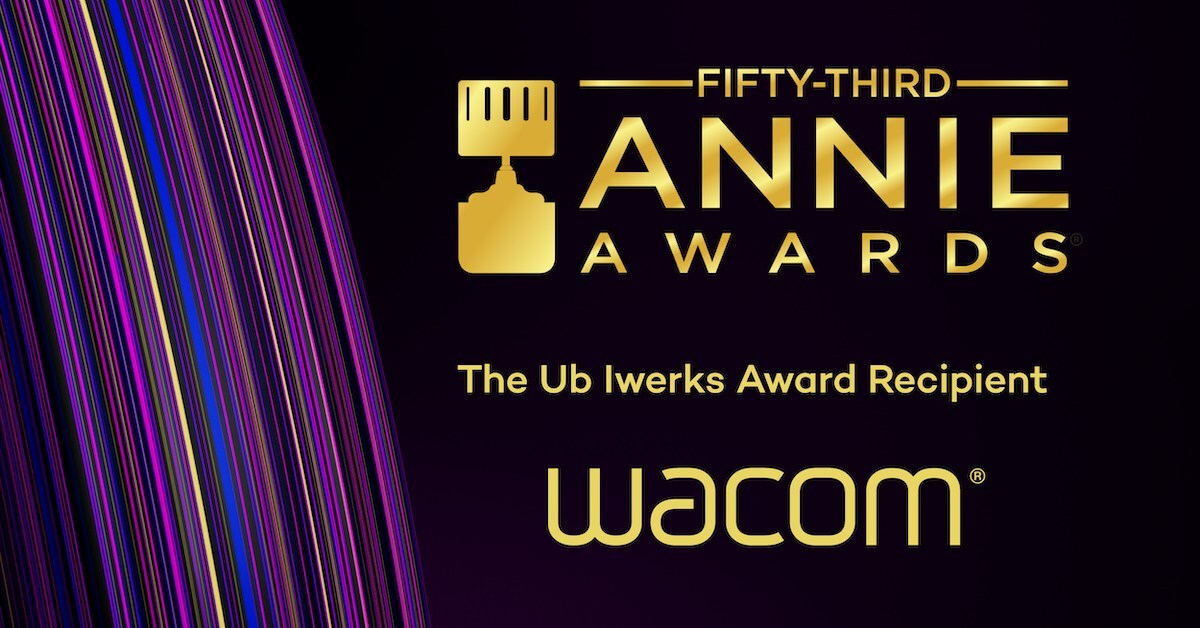
TOKYO, Feb. 9, 2026 – The announcement that Wacom has been honored with the Ub Iwerks Award at the 53rd Annie Awards is far more than a simple accolade; it's a profound recognition of a technological bedrock that has quietly, yet fundamentally, reshaped the animation industry over decades. This award, bestowed for 'longstanding contribution to the animation industry through digital pen and ink technologies,' speaks volumes about Wacom's integral role, not just as a tool manufacturer, but as an enabler of creative evolution and a catalyst for digital transformation.

The Ub Iwerks Award itself carries significant weight, named after a legendary animator and technical innovator whose contributions to animation often paralleled technological breakthroughs. For Wacom to receive this honor underscores that their impact extends beyond mere utility, touching the very methodology and artistic expression within the animation pipeline. It acknowledges that the digital pen, pioneered and perfected by Wacom, has become as indispensable to the modern animator as the pencil and light table once were to their predecessors.

The Paradigm Shift: From Analogue to Digital Canvas

Before Wacom's widespread adoption, animation was a labor-intensive, often physically demanding craft. Frames were hand-drawn on paper, meticulously scanned, cleaned up, traced onto cels, and then hand-painted. This multi-stage process was prone to errors, incredibly time-consuming, and offered limited avenues for immediate iteration or non-destructive editing. The advent of Wacom's graphics tablets, starting with early models and evolving into the ubiquitous Intuos series and eventually the interactive Cintiq pen displays, introduced a paradigm shift.

The core innovation lay in providing artists with a natural, intuitive interface that mimicked the precision and expressiveness of traditional tools, but within a digital environment. The ability to draw directly onto a screen, with varying levels of pressure sensitivity, tilt recognition, and virtually no parallax, allowed animators to bypass numerous analogue steps. This direct digital creation flow drastically reduced production timelines, cut costs associated with physical materials, and, perhaps most critically, empowered artists with unparalleled creative freedom and flexibility.

Technological Bedrock: The EMR Advantage

At the heart of Wacom's enduring success is its proprietary Electromagnetic Resonance (EMR) technology. Unlike many competing solutions that rely on battery-powered pens or optical tracking, Wacom's EMR pens are passive, drawing power from the tablet's electromagnetic field. This fundamental design choice offers several key advantages that have cemented its professional appeal: zero latency, exceptional precision, maintenance-free operation (no batteries to charge or replace), and superior durability. For professional animators working long hours, this reliability and responsiveness are not merely conveniences; they are critical components for maintaining workflow integrity and minimizing fatigue.

The continuous refinement of EMR technology, coupled with advancements in display technology for Cintiqs – offering higher resolutions, wider color gamuts, and improved anti-glare surfaces – has ensured that Wacom devices remain at the forefront of the professional creative market. This technological stability and incremental innovation have allowed software developers to build robust, deeply integrated drawing and animation tools that leverage Wacom's capabilities to their fullest, creating a powerful, synergistic ecosystem.

Democratization and Global Impact

Wacom's contribution isn't confined to high-end studios. By providing accessible and reliable digital drawing tools, Wacom has also played a pivotal role in the democratization of animation. Aspiring artists and independent creators, who might have been deterred by the cost and complexity of traditional animation setups, found a powerful entry point into the craft. This widespread availability fostered a new generation of animators, diversified artistic styles, and contributed to the explosion of animated content across various platforms, from indie short films to web series and educational materials.

The 'longstanding' aspect of the award truly resonates here. Wacom hasn't just provided a tool; it has cultivated a global community of artists fluent in its digital language. From Tokyo to Hollywood, from independent game developers to major animation powerhouses like Disney, Pixar, and Studio Ghibli, Wacom tablets and displays have been the silent workhorses, enabling the creation of countless iconic characters and animated worlds.

Looking Ahead: Sustaining Relevance

In an increasingly competitive landscape, with challengers like Apple Pencil and various tablet-based solutions, Wacom's continued recognition highlights its unwavering commitment to the professional creative. While consumer-grade tablets offer portability and convenience, Wacom's focus on driver stability, build quality, and a deep understanding of professional workflow needs ensures its devices remain the gold standard for dedicated animation and digital art. The Ub Iwerks Award is a testament to this unwavering focus and their foundational, rather than fleeting, impact.

As animation continues to evolve, embracing real-time rendering, AI-assisted tools, and new interactive paradigms, Wacom's legacy of providing the most direct and natural interface between human creativity and digital execution will likely remain central. This award celebrates not just past achievements, but Wacom's enduring promise to empower the imaginations that bring static images to life, frame by glorious frame.

🚀 Tech Discussion:

The Ub Iwerks Award for Wacom is a powerful reminder that foundational technologies, often taken for granted, are the silent enablers of entire creative industries. Its recognition underscores the importance of a human-centric approach to tool design, even as the digital landscape continues to evolve rapidly. The real question now is how Wacom will continue to innovate its core offerings to remain indispensable amidst emerging AI-driven animation tools and increasingly powerful mobile alternatives, while still honoring the deep-rooted trust artists place in its precision and reliability.

Generated by TechPulse AI Engine

The Dual Guardians: A Deep Dive into Robust iPhone Backup Strategies with iCloud and Local Storage

In an increasingly digital world, our smartphones have become extensions of our very selves, housing invaluable memories, critical documents, and personal data. The potential loss of this information, whether due to device malfunction, theft, or accidental deletion, is a daunting prospect. Apple, recognizing this imperative, provides two primary, yet distinct, mechanisms for safeguarding your iPhone data: iCloud Backup and local computer backups. This deep-dive analysis will dissect the technical nuances of each method, outlining their respective strengths, limitations, and the strategic considerations for implementing a truly resilient data preservation strategy.

The Cloud Advantage: iCloud Backup Deep Dive

Understanding iCloud Backup Mechanics

iCloud Backup offers an automated, off-site solution, leveraging Apple's global data centers to store your device's snapshot. When initiated, either manually or automatically (typically when connected to power, Wi-Fi, and locked), your iPhone intelligently bundles a specific set of data. This includes device settings, app data (excluding app binaries themselves, which are re-downloaded), Home screen and app organization, iMessage/SMS/MMS messages (if iCloud Messages is off), photos and videos (if iCloud Photos is off), ringtones, and more. Crucially, iCloud Backup does not duplicate data already synchronized via other iCloud services, such as iCloud Photos, iCloud Messages (when enabled), iCloud Drive files, contacts, calendars, and notes. This intelligent segmentation prevents redundancy and optimizes storage. All data transmitted to and stored in iCloud is encrypted, both in transit (TLS) and at rest (AES 128-bit), ensuring a respectable level of security against unauthorized access, though not end-to-end encryption for all data types unless explicitly stated by Apple for specific services. The primary limitation often encountered is the generous but finite free 5GB tier, necessitating paid upgrades for most users.

Step-by-Step iCloud Backup (Technical Interpretation)

Performing an iCloud backup is designed for simplicity. Navigate to Settings -> [Your Name] -> iCloud -> iCloud Backup. Toggling iCloud Backup to On enables automatic backups under the aforementioned conditions. Tapping Back Up Now forces an immediate backup. From a technical perspective, this process involves the iPhone creating a differential backup – only new or changed data blocks are uploaded after the initial full backup – to optimize bandwidth and time. The device communicates securely with Apple's iCloud infrastructure, authenticating via your Apple ID. A successful backup confirms data integrity and ensures that the latest snapshot is available for restoration.

The Local Fortress: Computer Backup (Mac & PC) Analysis

iTunes/Finder Backup Mechanics

Local backups, performed via Finder on macOS (Catalina and later) or iTunes on Windows and older macOS versions, represent a more comprehensive, granular backup solution residing directly on your personal computer. Unlike iCloud Backup's selective approach, a local backup captures almost everything on your device: device settings, app data, media files not synced via iCloud (e.g., photos if iCloud Photos is off, manually added music), health data, HomeKit data, Wi-Fi settings, saved passwords (if encrypted), call history, and more. The critical distinction here is the option for encryption. An unencrypted local backup omits sensitive data like saved passwords, Wi-Fi settings, Health data, and HomeKit data. Conversely, an encrypted local backup includes virtually all device data, securing it with a password of your choosing. This encryption uses AES 256-bit, offering a robust layer of protection for your most private information. For any tech enthusiast, enabling encryption is non-negotiable for true data sovereignty and security. The storage capacity is limited only by your computer's hard drive, offering potentially much larger backup footprints than iCloud's free tier.

Step-by-Step Computer Backup (Technical Interpretation)

The process is straightforward:

  • Mac (macOS Catalina or later): Connect your iPhone to your Mac. Open Finder, select your device in the sidebar. In the General tab, choose Back up all of the data on your iPhone to this Mac. Crucially, tick the Encrypt local backup checkbox and set a strong, memorable password.

  • PC (iTunes): Connect your iPhone to your PC. Open iTunes, click the device icon. In the Summary section, select Back up all of the data on your iPhone to this computer. Again, ensure Encrypt local backup is selected and set a password.

For both platforms, the backup progress is displayed, and upon completion, a timestamp indicates the last successful backup. The encryption password is paramount; without it, an encrypted backup cannot be restored, making secure password management essential.

Strategic Considerations & Best Practices

A truly robust data recovery strategy often involves a hybrid approach. While iCloud offers convenience and off-site redundancy, a local encrypted backup provides a complete, potentially faster restoration, especially for larger datasets, and is invaluable if internet access is limited or iCloud services are temporarily unavailable. Regularity is key; automate iCloud backups and periodically perform manual local backups, especially before major iOS updates or device changes. Always verify your backups by checking the "Last Backup" timestamp in iCloud settings or Finder/iTunes. Finally, enhance overall security by using strong, unique passwords for your Apple ID and backup encryption, and always enable Two-Factor Authentication for your Apple ID to protect access to your iCloud data.

Conclusion

In the intricate ecosystem of personal technology, data loss remains a persistent threat. Understanding the technical underpinnings and strategic deployment of both iCloud and local computer backups is not merely a convenience; it is a fundamental aspect of digital self-preservation. By meticulously implementing these dual guardian strategies, users can navigate the digital landscape with confidence, secure in the knowledge that their invaluable iPhone data is robustly protected against unforeseen eventualities. This proactive approach transforms the abstract concept of data backup into a tangible, empowering reality.

🚀 Tech Discussion:

The choice between cloud and local backup, or ideally a combination, highlights a user's fundamental trade-off between convenience, comprehensive data capture, and ultimate control over encryption keys. As data privacy concerns escalate, the implications of where and how our personal data is stored become ever more critical. What future innovations might further decentralize or enhance the security of personal device backups, perhaps leveraging blockchain or more advanced federated learning techniques?

Generated by TechPulse AI Engine

Tips on Improving Your Lead Generation Efforts


Tips on Improving Your Lead Generation Efforts

The sales funnel is often a numbers game, and the value that organizations get at the end of the funnel depends largely on how well they fill the top and how well they move the prospects down the funnel. If the top of the funnel is not getting its due, the bottom suffers.

In this post, we will talk more about filling the top that is, improving the lead generation efforts. Here are some tips:

1. Stop Thinking and Start Executing

Marketing is a lot about doing. All the planning, observations, and analyses can take you only so far – what will really help you is executing your plans effectively.

Managers often waste time making plans and don’t expend enough efforts in implementing them. This is a shout out for them to stop thinking and start doing.

2. Employ Different Methods

Marketing is not one thing --- it is a combination of many. Only one channel for leads might not give you great results – what you need is multiple channels that work together to give you enough leads.

That does not mean that you muddy the field by using too many methods – they might come in each other’s way and harm the organization more than help it.

Try to implement complementary marketing methods – use SEO and SEM in conjunction with e-mail marketing. Collect leads using SEO and SEM techniques, and send collateral to these leads through email marketing so that they stay hooked.

It is important to get the combination right, as it will decide whether your marketing works for you or against you.

3. Invest in Content Marketing

More and more organizations are now adopting content marketing practices since they see the value in it. However, there are many organizations that lack in content marketing, either in terms of quality or quantity.

Content marketing drives a lot of other marketing efforts, and can be a significant lead generator in itself. Offering engaging and informative content to prospects draws them towards the organization, and helps retain them.

4. Test Everything

Marketers should go into lead generation with a tester’s mindset. They should think of every marketing effort as a test, and see what the results are, before deciding whether to continue with it or not.

The market conditions and consumer expectations are volatile, and it is a good idea for marketers to think that they don’t know what will work and therefore test everything instead of thinking that they know everything and testing nothing.

From marketing methods to the way the website functions to the frequency with which prospects are engaged, everything should be tested to arrive at optimal results. Once the best results come, and once they get the idea that a channel has dried up, they can then move on to other things.

5. Look at the Data

In marketing, data plays a very important part. Today, even complicated technical aspects of marketing like SEO and SEM have metrics that will help users understand exactly what is going on, and how their efforts are turning into results.

Marketers should collect data on every action, and analyse it closely. In the market, there are many CRM solutions available that can help organizations collect data to gain insights on analysis to help with decision-making.

Lastly, it is a good idea for organizations to use CRM software that can help them with all aspects of lead management. The solution will also help them implement and perfect their sales funnels so as to get the best from their marketing efforts.

The CRM platform is comprehensive, and allows users to implement multiple marketing practices from a single interface.

Cheapest Ad-Free Streaming Services in the US (2026 Comparison)


Cheapest Ad-Free Streaming Services in the US (2026 Comparison)

Last Updated: February 2026 | Reading Time: 5 mins

Let’s be real for a second: streaming was supposed to be the "cord-cutter's dream." No contracts, no cable boxes, and most importantly—no commercials. But here we are in 2026, and it feels like we’ve circled back to 90s cable TV. Every major platform is now shoving "ad-supported tiers" down our throats while hiking the prices of the premium ones.

If you're like me, you probably find it insulting to pay for a subscription only to be interrupted by a laundry detergent ad right at the movie's climax. That’s why I spent the weekend crunching the numbers to find the absolute cheapest ways to watch ad-free in the US this year. No fluff, just the facts.


The 2026 Ad-Free Budget Leaderboard

Here is how the top contenders stack up right now for their "No Ads" plans:

Service Monthly Price (Ad-Free) The "Vibe"
Apple TV+ $9.99 Quality over quantity. Zero ads, ever.
Peacock (Premium Plus) $13.99 Great for live sports & NBC classics.
Paramount+ (with Showtime) $12.99 The best deal if you love movies.
Hulu (No Ads) $18.99 Expensive, but essential for TV junkies.

1. Apple TV+: The Last Pure Stronghold

In 2026, Apple TV+ remains the only major player that doesn't even have an ad-supported tier. For under $10, you get some of the best-produced sci-fi and drama in the world (looking at you, Severance). It’s the cleanest user experience on this list, period.

2. The "Hidden" Budget King: Paramount+

A lot of people sleep on Paramount+, but if you're looking for movies, it’s a steal. By opting for the annual plan, you can often knock the monthly cost down significantly. It’s one of the few places where you can get a massive movie library plus live CBS without breaking the $15 mark.

3. The Student/Military Hack

If you are a student or a veteran in the US, stop paying full price. Services like Hulu and Peacock offer massive discounts that they don't exactly advertise on the front page. You can often land ad-free tiers for 50% off if you verify your status via ID.me or SheerID.


Pro Tip: The "Subscription Cycling" Method

Stop subbing to 5 services at once. The smartest way to save money in 2026 is to sub to one ad-free service, binge everything you want for 30 days, cancel, and move to the next. You’ll save over $400 a year just by clicking "cancel" a few times.

Final Verdict

If you want the cheapest, cleanest ad-free experience right now, Apple TV+ wins on price, while Paramount+ wins on content variety. Whatever you do, don't settle for the "basic with ads" plans—your time and sanity are worth more than the $5 you save.

What’s your go-to service this year? Drop a comment below and let me know if I missed a hidden deal!